Apple Watch vs Garmin: Why I Switched to Garmin (and DON'T regret it)
Should you switch from Apple Watch to Garmin? After using my Apple Watch Series 9 daily for over a year and loving it, I made the jump to the Garmin Forerunner 570 two months ago. Here's my verdict: for serious athletes, Garmin is SO much better than I don't think I'll ever go back to Apple watches anytime soon.
This isn't about specifications on paper - it's about real-world experience from someone who's put both watches through intensive triathlon training, daily wear, and everything in between.
Quick Verdict: Garmin Wins for Athletes
Winner: Garmin Forerunner 570 (for serious athletes)
Rating: Garmin 4.5/5 | Apple Watch 4/5
Bottom Line: If you're training for endurance events or take fitness seriously, Garmin's superior battery life, physical buttons, and comprehensive training features make it the clear choice. Apple Watch wins for general smartwatch functionality and ecosystem integration.
Best For Athletes: Garmin Forerunner 570
Best For Everyone Else: Apple Watch Series 10
The One Feature That Changed Everything
Before diving into the details, there's one specific feature on the Garmin that completely changed how I approach training - something Apple simply can't match. Training Readiness uses heart rate variability, sleep quality, and recent training load to give me a daily score from 1-100, telling me whether my body is ready for intense training or needs recovery.
Right now I have a training readiness score of 82 out of 100, meaning my body is rested enough for tonight's run and swim session. As someone with a habit of overtraining and not taking enough rest days (which leads to injury), this feature acts like a personal coach, preventing me from making costly training mistakes.
Detailed Features Breakdown
Battery Life: The Foundation of Everything
This is probably the single most noticeable difference between these watches. The Forerunner 570 delivers about 11 days of battery life, while the Apple Watch gives you maybe 1.5–2 days if you're conservative with usage.
Apple Watch Reality: For regular daily use, charging every day didn't bother me much. Just like my iPhone, I developed a habit – put the Apple Watch on its charging stand before my morning shower, and it's charged when I'm done. No big deal for normal activities.
When Apple Watch Battery Becomes Problematic: The battery becomes an issue during longer training sessions. Occasionally on Sundays, I'll do a 7-hour bike ride starting at 4 AM (when traffic isn't bad) followed by a 2-hour run. The Apple Watch battery wouldn't last the whole day. During my recent Ironman 70.3 triathlon, my Apple Watch was at 15% by the end – it wouldn't have lasted much longer. That's problematic because I'm training for a full Ironman next year, and the Apple Watch simply won't last long enough.
Garmin's Always-On Display Trade-off: I experimented with Garmin's Always-On Display because when it's off, I have to wait half a second for the display to react when checking time. With Always-On Display activated, battery life decreases from 11 days to 4 days – still more than double the Apple Watch, but a significant decrease. Because I love the 11-day battery life, I usually keep Always-On Display turned off. The split-second delay is similar to what you get with the Apple Watch anyway.
Physical Buttons: A Massive Advantage
I didn't realize how big of a deal this would be, but physical buttons are incredibly helpful, especially since I swim frequently. When swimming with the Apple Watch, it's almost impossible to use because water and touchscreens don't work well together. If I want to change settings during a swim session, I have to wipe my wet hand – but when swimming, my whole body is wet, so I find myself trying to dry my fingers on my wet arm, which doesn't work.
Real-World Button Benefits:
- Swimming: Garmin buttons work perfectly underwater and with wet hands
- Running in rain or heavy sweat: No touchscreen responsiveness issues
- Cycling with gloves: Nearly impossible to use the Apple Watch touchscreen with gloves, but Garmin buttons work perfectly
- Reliability: Physical buttons work every single time, regardless of conditions. Screen Visibility and Display Quality
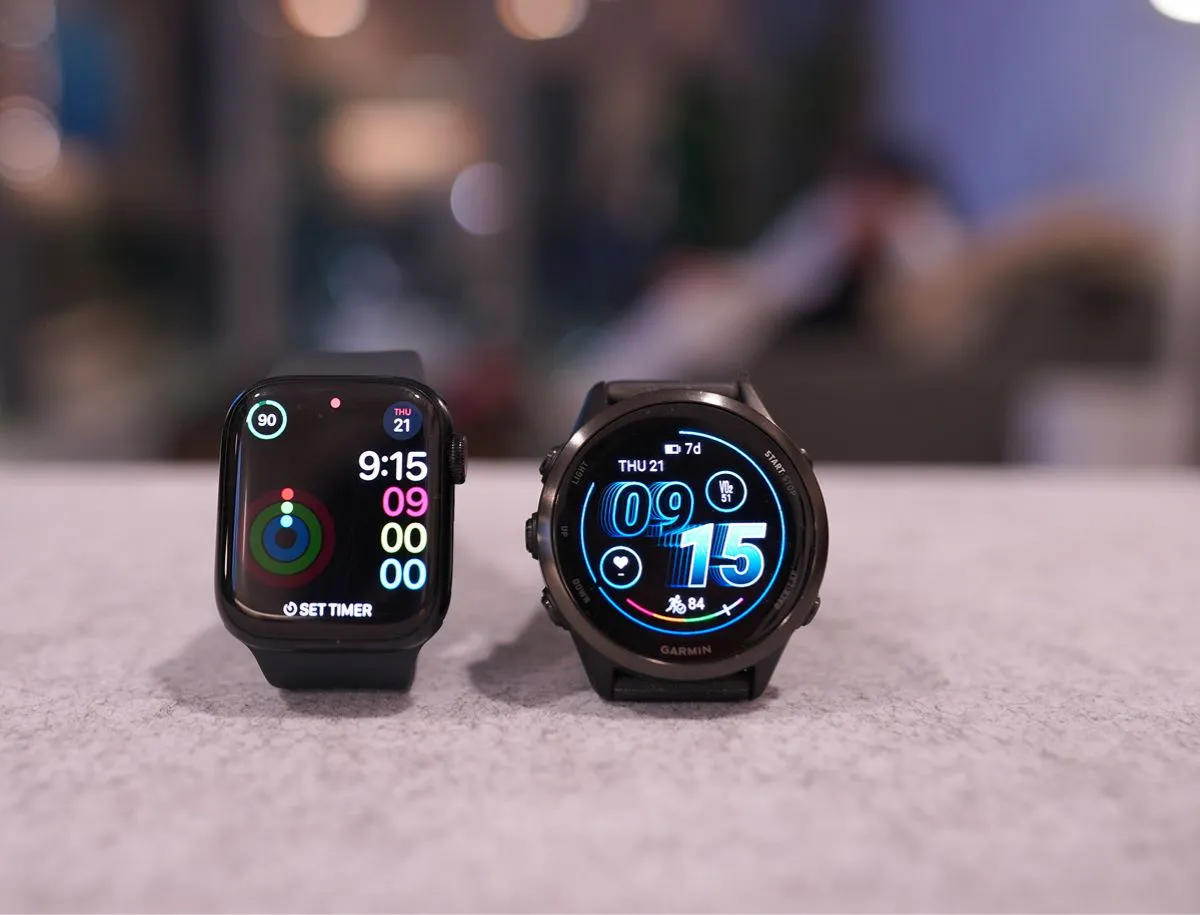
The Garmin Forerunner's display is slightly brighter than the Apple Watch's. During regular indoor use or cloudy outdoor conditions, both displays are perfectly readable. However, the extra brightness becomes crucial when running during the day in direct sunlight while wearing polarized sunglasses. If you've ever worn polarized sunglasses while looking at a screen, you know what I'm talking about – the Garmin cuts through that combination much better.
Size and Design
The Garmin screen is 42mm compared to the Apple Watch's 41mm – only a 1mm difference on paper, but the Garmin screen feels significantly bigger. It fits more data on the display without feeling cluttered.
Personal preference: I prefer the round display over Apple's squared-off design. There's something classic and timeless about a round watch face that the rectangular design can't replicate.
Customization: Making It Truly Yours
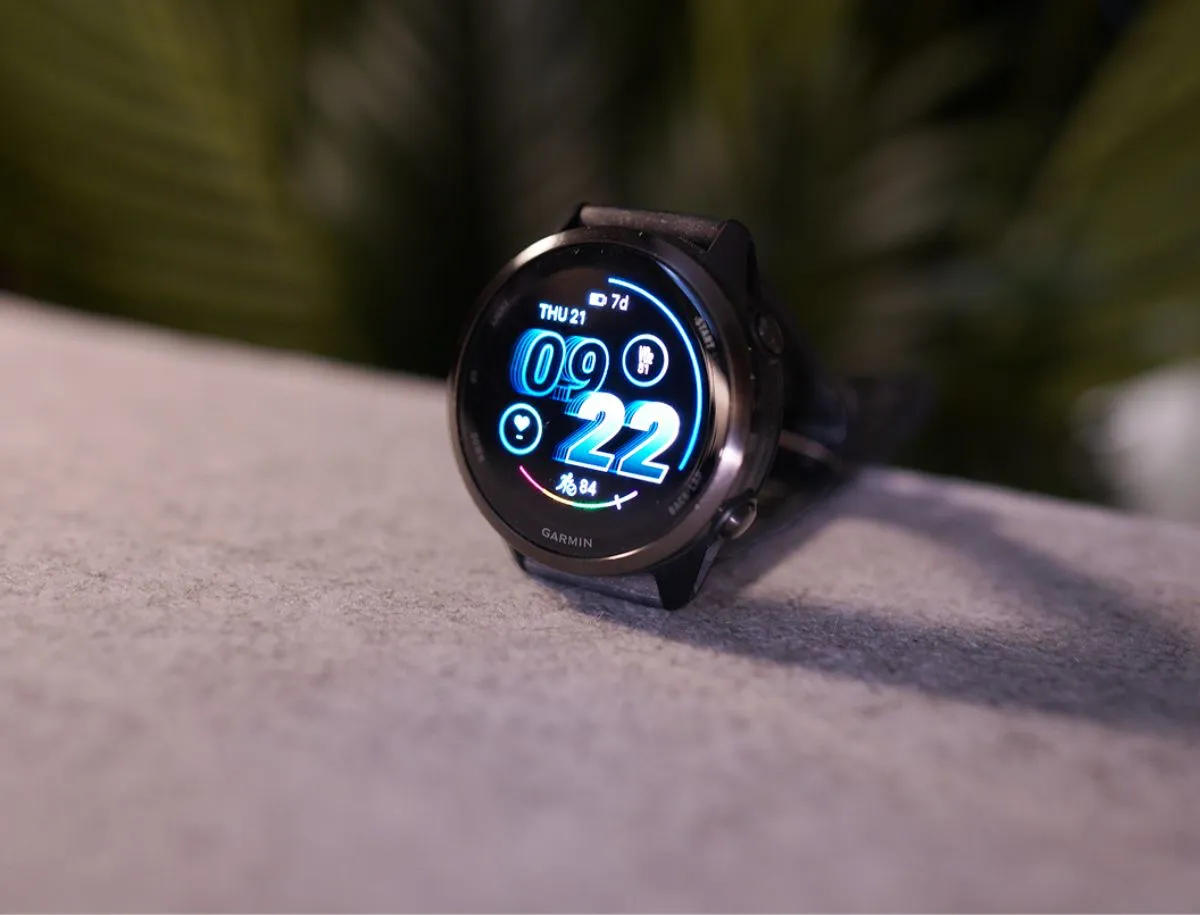
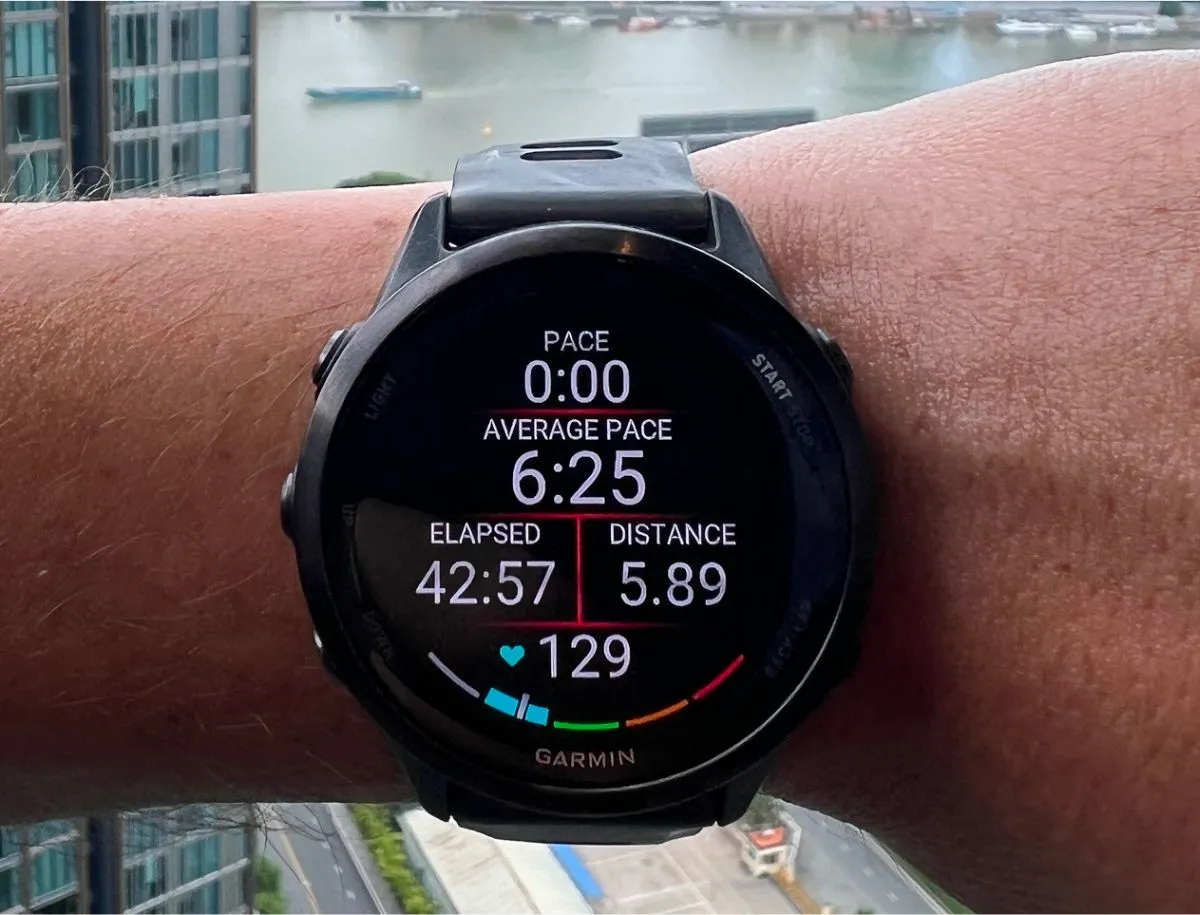
The Garmin is dramatically more customizable than the Apple Watch, which feels quite limiting once you experience Garmin’s flexibility. With the Garmin watch face, I can choose exactly what metrics I see, change colors, adjust layouts, and add or remove data fields. The level of customization is genuinely impressive.
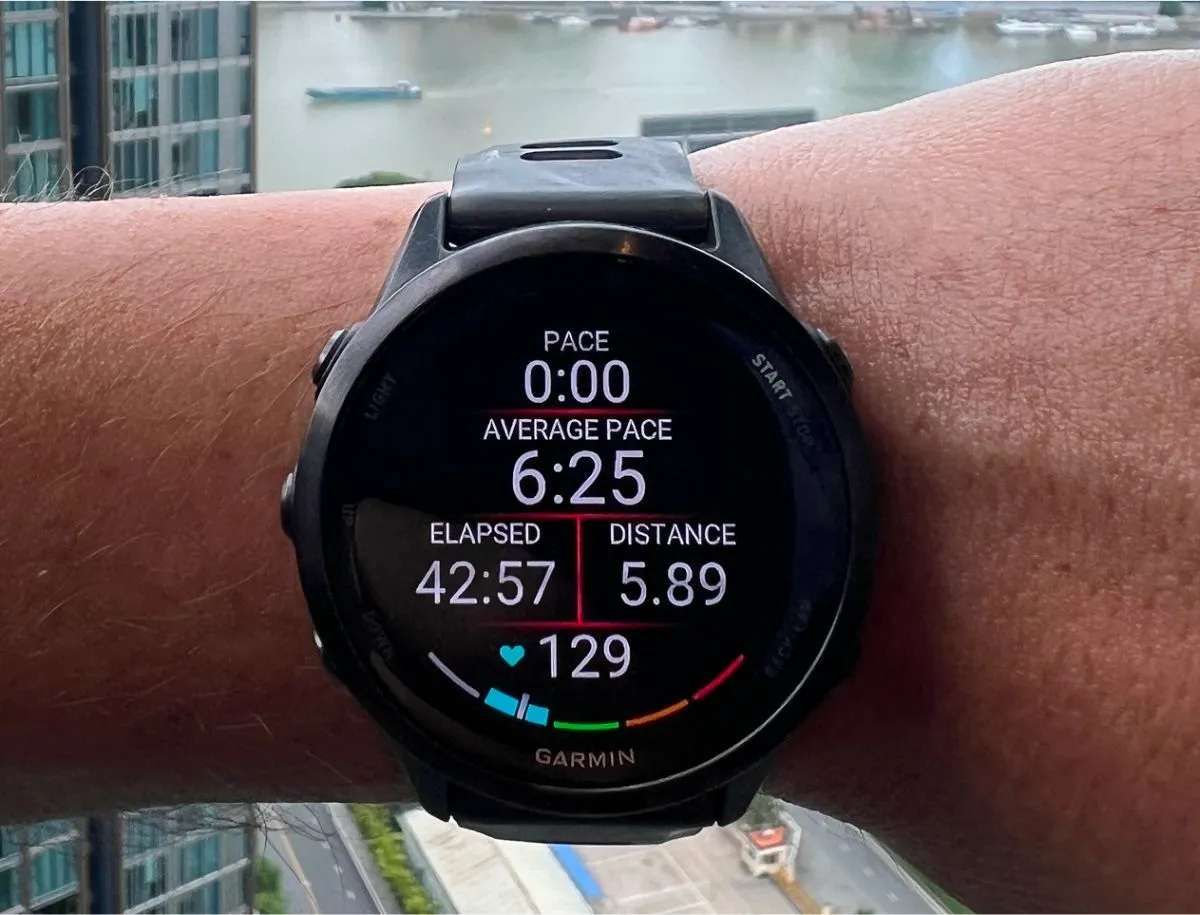
On my current watch face, I have my Training Readiness metric prominently displayed at the bottom because it’s one of the most important metrics for me. The Apple Watch simply doesn’t offer this level of granular customization for fitness-focused users.
Training Features That Actually Matter
This is where Garmin really shines. The built-in personal trainer provides free daily workout recommendations based on your recovery data. It’s like having a coach who knows exactly how hard you trained yesterday and adjusts today’s workout accordingly. Sometimes it suggests easy recovery runs, sometimes high-intensity intervals, and sometimes complete rest days.
Training Load and Effect: These metrics are particularly valuable.
- Training Load measures the physiological impact of your workout
- Training Effect tells you whether the session improved aerobic or anaerobic fitness
This helps me understand not just what I did, but what I actually accomplished from a fitness development perspective.
Treadmill Accuracy - A Game Changer
About 30% of my runs are on treadmills (when it’s raining or I’m traveling). Both Apple Watch and Garmin struggle with treadmill accuracy - if I run 10km on the treadmill, both watches might only record 9km.
The crucial difference: Apple Watch offers no way to edit distance and pace after the workout.
With Garmin, I can easily adjust the distance and pace for accurate metrics.
This might seem minor, but I use this feature multiple times per week. It’s important that my pacing and distance are accurate because I use that data to track improvement. When I got the Garmin and could log accurate treadmill times on Strava, my friend messaged saying I’d gotten much faster – when in reality, it was just more accurate data.
Workout Display Comparison
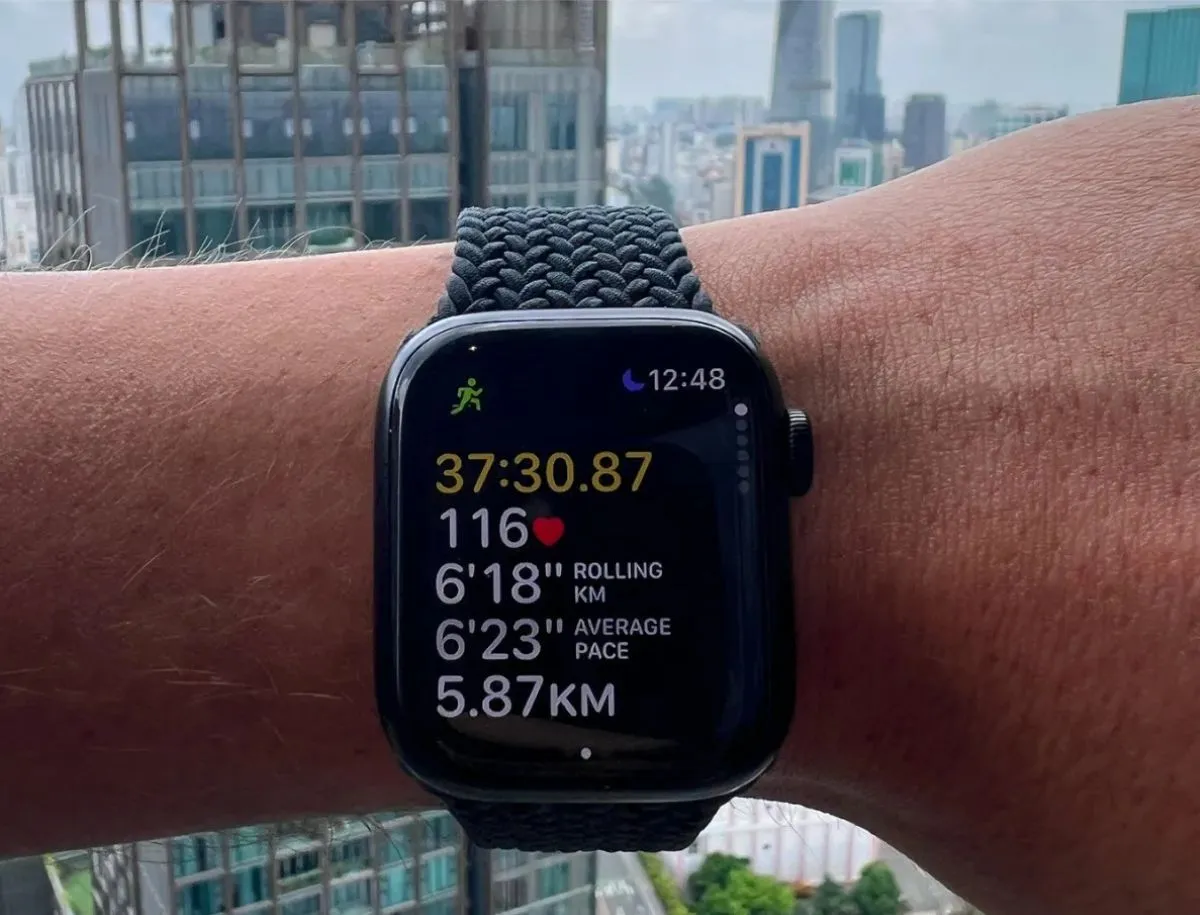
During runs, the Garmin display is far easier to read at a glance compared to the Apple Watch.
After runs, Apple Watch tells me basic stats:
- Time
- Distance
- Pace
- Calories
- Average heart rate
- Effort
However, Garmin provides all this PLUS:
- Body heat adaptation percentage when running in the sun
- Adjusted max heart rate based on the last run
- Detailed aerobic and anaerobic fitness improvements
- Recovery time until next high-intensity workout
There's no question – Garmin is far superior at fitness tracking and acting as a personal trainer on your wrist.
Where Apple Watch Still Excels
I don’t want to make it sound like Garmin is perfect for everyone. Apple Watch has significant advantages for certain users:
Cellular Connectivity
The cellular model is huge for people wanting to leave phones at home during runs. I genuinely miss this feature.
With the cellular Apple Watch, I could do 2-hour runs without my phone and still receive important calls or messages. Garmin requires your phone nearby for any smart features. I never liked running with my chunky iPhone in my pocket, but with Garmin, if I want to stay connected for emergencies, I have to bring my phone.
Smart Home Integration
Apple’s smart home integration is far superior. I could control lights, adjust thermostats, and check security cameras directly from Apple Watch. Garmin has minimal smart home capabilities. If you’re heavily invested in the Apple ecosystem with HomeKit devices, this is a significant downside.
App Ecosystem
The Apple Watch app ecosystem is more comprehensive. Because Apple’s ecosystem is massive, there are countless third-party apps for almost anything. Garmin’s app selection is limited and focused primarily on fitness and outdoor activities.
Social Features
One feature I genuinely miss is the fitness circles competition. I used to compete with my business partner on daily calorie burn – winner takes $10. It wasn’t about the money; it was about not being a loser. It was genuinely fun and kept both of us more active. Garmin has social features, but nothing as engaging as Apple’s activity competitions.
Productivity Features
For productivity, Apple Watch is slightly better. I could:
- Dictate voice memos
- Set reminders that synced with iPhone
- Use productivity apps
The ability to quickly respond to urgent emails during meetings without pulling out my phone was genuinely useful. Garmin focuses almost entirely on health and fitness with far fewer productivity features.
Comfort and Daily Wear Experience
Apple Solo Loop vs Garmin Strap
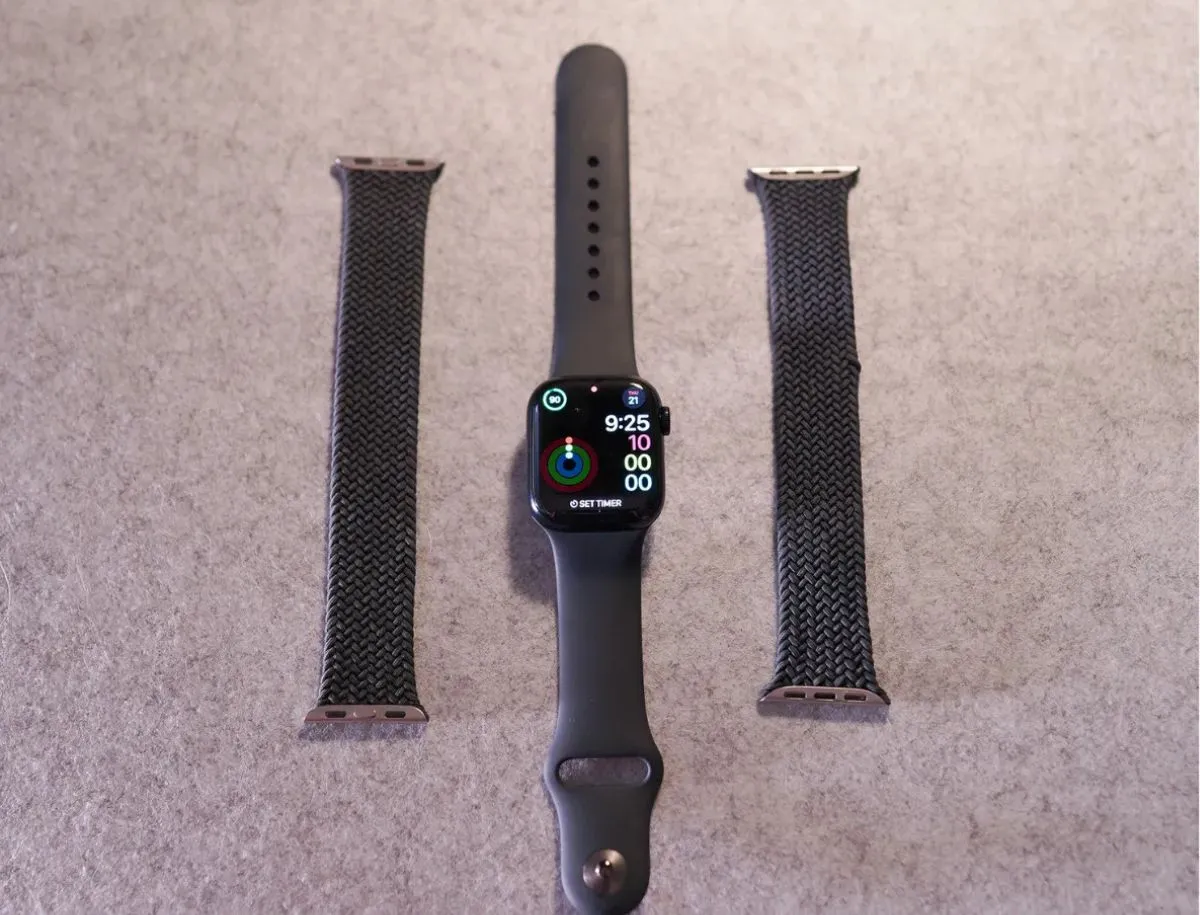
I absolutely love the Apple Solo Loop strap. It’s so comfortable I forget I’m wearing it. It was expensive ($99) and I bought two because the first didn’t fit properly. Then my cat chewed through it, leaving a small nick, but the Solo Loop was totally worth it for comfort.
The Garmin is surprisingly comfortable, but there's one complaint: the wrist strap is thicker than the Solo Loop, so during extended typing sessions, I can feel it pressing against my wrist. Worse, the buckle has made a small scratch on my laptop chassis. This happens with any buckled watch strap, but it's why I prefer the Solo Loop - it's so thin I never notice it.
Ease of Use:
The Solo Loop takes literally 3 seconds to put on - just slide it over your hand. With Garmin, I have to balance the strap on my wrist, count to the 7th hole for proper buckle adjustment, then fiddle to get it on. Small thing, but I notice it daily.
Swimming Considerations:
The Solo Loop soaks up water like a sponge and takes forever to dry after swimming. I don't have this issue with standard Apple silicone straps or Garmin rubber straps - they dry almost immediately.
Real-World Usage Scenarios
During Ironman 70.3 training, I often do brick workouts - bike followed immediately by running. With Apple Watch, transitioning between activities meant dealing with the touchscreen while sweaty and trying to switch modes quickly. Sometimes the screen wouldn't respond during transitions. With Garmin, I press a physical button, scroll to the new activity, and press start. Works every single time regardless of conditions.
Multi-Sport Events:
The Garmin can automatically detect transitions from swimming to cycling to running, switching modes accordingly. This is one of the main reasons I switched, since I'm training for triathlons with my next Ironman 70.3 in 4 months. With my recent Ironman, I had to record swim, bike, and run as three separate Apple Watch workouts, which showed up as three different activities on Strava. Garmin records the triathlon as one workout with far more accurate times.
Honest Pros and Cons
Garmin Forerunner 570 Pros:
- 11-day battery life eliminates charging anxiety
- Physical buttons work perfectly in any weather condition
- Superior training features including readiness scores and workout recommendations
- Comprehensive customization for fitness-focused users
- Accurate multi-sport tracking with automatic transitions
- Detailed post-workout analysis far exceeding Apple's capabilities
- Treadmill workout editing for accurate pace and distance data
- Better display visibility in bright sunlight with polarized sunglasses
- Round watch face design feels more traditional and timeless
Garmin Forerunner 570 Cons:
- No cellular connectivity - requires phone for smart features
- Limited smart home integration compared to Apple ecosystem
- Smaller app ecosystem focused primarily on fitness
- Less convenient daily wear with buckle strap vs Solo Loop
- Minimal productivity features compared to Apple Watch
- Laptop scratching from watch buckle during typing
- No social fitness competitions like Apple's activity sharing
Apple Watch Series 9/10 Pros:
- Excellent smart features and comprehensive app ecosystem
- Seamless iPhone integration for calls, messages, and notifications
- Superior smart home control with HomeKit compatibility
- Cellular model available for phone-free workouts
- Comfortable Solo Loop option for all-day wear
- Great social features including fitness competitions with friends
- Better productivity apps for quick tasks and communication
- Polished user interface with intuitive touchscreen navigation
Apple Watch Series 9/10 Cons:
- 1.5-2 day battery life requires daily charging
- Touchscreen limitations when wet, sweaty, or wearing gloves
- Limited fitness customization compared to dedicated sports watches
- Inadequate for long endurance events due to battery constraints
- No post-workout editing for treadmill or other inaccurate readings
- Less comprehensive training analysis for serious athletes
- Weaker display visibility in bright sunlight with polarized sunglasses
Competition Comparison
Garmin Forerunner 570 vs Apple Watch Series 10
Winner: Depends on Your Priorities
Choose Garmin if you:
- Train for endurance events or multisport activities
- Need reliable operation in challenging weather conditions
- Want comprehensive training analysis and recovery metrics
- Prefer 11-day battery life over daily charging
- Value detailed customization for fitness tracking
Choose Apple Watch if you:
- Want the best overall smartwatch experience
- Are heavily invested in Apple ecosystem
- Need cellular connectivity for phone-free workouts
- Prefer comprehensive app selection beyond fitness
- Value smart home integration and productivity features
Garmin Forerunner 570 vs Garmin Forerunner 970
Winner: Forerunner 970 (if budget allows and if you have big wrists)
The Forerunner 970 offers sapphire glass, a built-in flashlight, full GPS mapping, and 15-day battery life for $200 more. However, it's only available in 47mm size. If you need maximum durability and features, and don't mind the larger size, the 970 provides better value in the premium tier.
Saying all of that, I – personally – still prefer the 570, for one reason:
I have small wrists! So the 970 looks like a dinner plate on my wrist. The 570 is the perfect size.
Data Integration and Long-Term Value
Garmin Connect vs Apple Health
The Garmin Connect app provides incredibly detailed post-workout analysis, including power curves, training effect over time, performance condition, and dozens of metrics, helping understand fitness trends. You can see countdowns to your next big race and connect with friends who wear Garmin watches.
Apple Health is comprehensive for general health tracking, but doesn't provide the same level of athletic performance analysis. I think Apple Health is better for social elements challenging friends to competitions genuinely made me push training harder as a competitive person.
Durability Considerations
Neither watch is super durable. They don't use sapphire glass and both have somewhat protruding glass faces prone to scuffs when walking too close to walls. Garmin is probably slightly more durable with its aluminum bezel protecting the glass. For maximum durability, consider the Garmin Forerunner 970 or Apple Watch Ultra, both featuring scratch-resistant sapphire glass.
Sleep Tracking and Recovery
Both watches track sleep adequately, breaking down sleep into light, deep, and REM stages, tracking consistency, and providing sleep scores factoring into overall recovery metrics.
What I find most valuable is how Garmin connects sleep quality to training readiness. If I have a poor night's sleep, my training readiness score reflects that, and the watch adjusts workout recommendations accordingly. This integrated approach to recovery tracking helps me make better decisions about when to train hard and when to prioritize rest.
Apple Watch sleep tracking is solid for basic metrics like total sleep time and consistency, but doesn't provide the same level of insight into how sleep affects fitness and training capacity.
Final Thoughts: The Honest Assessment
After two months with the Garmin Forerunner 570 following over a year with the Apple Watch Series 9, I'm completely convinced that Garmin is the superior choice for serious athletes. The 11-day battery life alone transforms the user experience no more charging anxiety, no more missed training data due to dead batteries during long workouts.
The physical buttons work flawlessly in conditions where Apple Watch's touchscreen fails. Swimming, cycling with gloves, running in rain, Garmin just works reliably every time. The training readiness feature has genuinely changed how I approach workouts, preventing overtraining and optimizing performance in ways Apple simply can't match.
However, Apple Watch remains the better overall smartwatch. The app ecosystem, smart home integration, cellular connectivity, and seamless iOS integration provide a more comprehensive smart device experience. For casual fitness enthusiasts who want a great smartwatch that happens to track workouts, the Apple Watch is still the better choice.
The Decision Framework
Choose Garmin if:
- You're training for endurance events
- You exercise in challenging conditions
- You want comprehensive training analysis
- You need reliable 11-day battery life
Choose Apple Watch if:
- You want the best overall smartwatch experience
- You're invested in the Apple ecosystem
- You need cellular connectivity
- You prefer convenience over specialized athletic features
My Personal Verdict
As someone training for Ironman triathlons, the Garmin Forerunner 570 has become an indispensable training partner. The training insights, battery reliability, and weather-proof operation justify every penny. I genuinely don't think I'll go back to Apple Watch anytime soon.
But I'm honest enough to admit that for most people who aren't serious endurance athletes, Apple Watch Series 10 is probably the smarter choice. It's a better general-purpose device that happens to track fitness well, rather than a specialized athletic tool that happens to have some smart features.
Bottom Line
Both are excellent watches serving different priorities. Choose based on whether you're primarily an athlete who needs smart features, or a smartphone user who wants better fitness tracking.
Final Ratings:
- Garmin Forerunner 570: 4.5/5 (Excellent for athletes, limited for general smartwatch use)
- Apple Watch Series 10: 4/5 (Great overall smartwatch, adequate for fitness enthusiasts)